Many travelers book a remote lodge and then worry about the same thing: the moment they arrive, will they lose contact with work, family and navigation? It’s a fair concern. Wilderness lodges are often far from cell towers, and the words “free wi-fi” on a booking page can mean very different things depending on where the lodge gets its internet from.
This guide walks you through what to realistically expect. We’ll look at typical lodge wi-fi speeds and when satellite service changes the picture, why cell coverage often ends at the lodge gate, and how lodges limit or charge for their connections. You’ll also find practical steps to prepare before you lose signal, tips for staying connected during your stay, and advice on choosing a lodge that matches your connectivity needs, whether you need to join video calls or want to unplug completely.
What Lodge Wi-Fi Speeds Are Realistic in Remote Areas
Most remote lodges run on connections of 1-10 Mbps. That sounds slow compared to home internet, but it’s enough for the basics: sending emails, using messaging apps, checking the weather and light browsing. Pages load, messages go through, and you can stay in touch, just not quickly.
The picture changes at lodges that have invested in newer satellite internet. Services of the Starlink style, increasingly installed at remote properties since 2021, can deliver 50-150 Mbps, which is genuinely fast even by city standards. Keep in mind that weather can slow satellite connections, so a heavy storm or dense cloud cover may temporarily reduce speeds even on a well-equipped lodge.
What will fail first
Video calls and streaming are the first services to fail on a slow connection. Several guests sharing 1-10 Mbps simply cannot support video conferencing or Netflix-style streaming. The safe assumption is that they will not work unless the lodge explicitly advertises satellite service. If joining a weekly video meeting matters to you, ask the lodge directly about their internet source before booking, and ask whether other guests have successfully made calls from the property.
Cell Coverage and Dead Zones Around Wilderness Lodges
Cell coverage around wilderness lodges is often limited to within 1-5 km of the nearest tower or paved road. In practice, that means the signal frequently fades out right around the lodge gate or the last stretch of gravel road. You might have full bars when you arrive, then watch them disappear as you walk the grounds or head out on a trail.
Complete dead zones do exist
Some lodges sit in complete dead zones where no carrier has any signal at all, for anyone. It doesn’t matter which network you’re on or how good your phone is; there is simply nothing to connect to for kilometers in every direction. Lodges in these locations usually rely entirely on their own internet setup, if they have one, and staff often use radio or satellite phones for emergencies.
Check before you rely on your phone
Before your trip, read the lodge’s own coverage notes on their website or booking listing, and email them to ask which carrier works best locally. Coverage varies a lot between providers in remote regions, and a carrier that’s strong in one valley may be useless in the next. A few minutes of checking can save you from arriving with a phone that’s essentially a camera.
This matters especially if you’re heading somewhere like the Canadian Rockies, where wilderness settings can put you well beyond any tower. Our guide to Jasper wilderness lodges for outdoor travelers covers what to expect from properties in that region. If staying reachable matters to you, make the coverage question part of your booking research rather than an unpleasant surprise on arrival.
How Lodges Set Up and Limit Their Wi-Fi
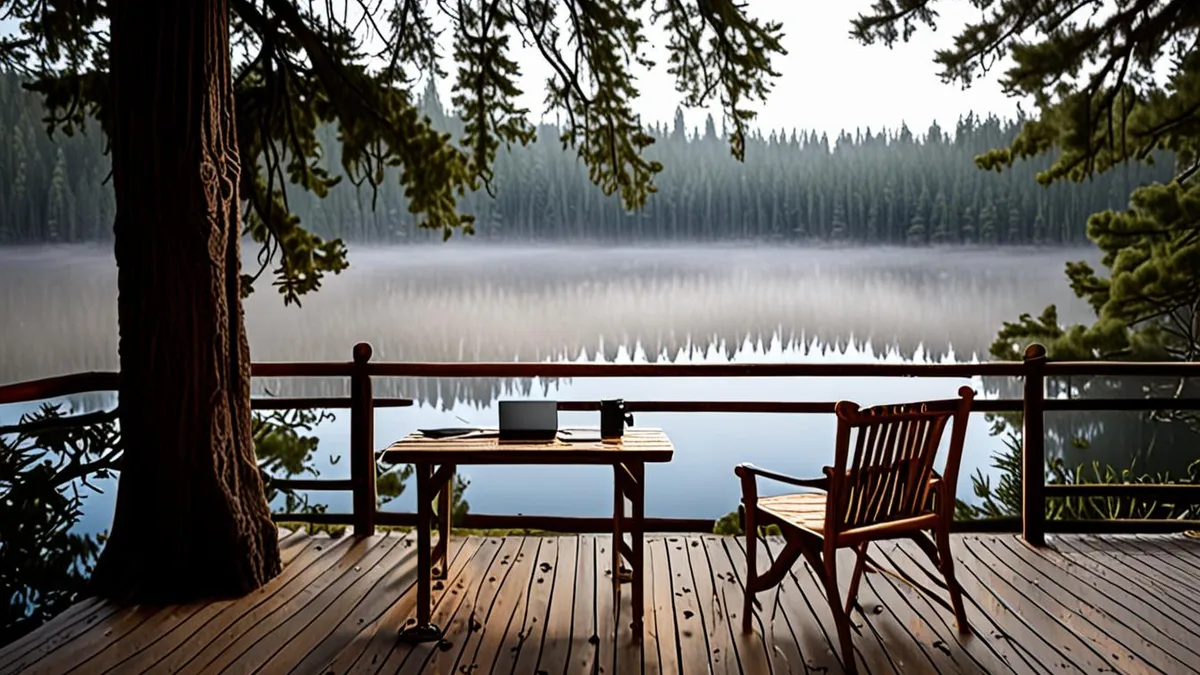
Remote lodges usually work with limited bandwidth, so most manage it carefully. One of the most common setups is restricting wi-fi to common areas like the lounge or dining room rather than guest rooms. You’ll often see guests gathered near the fireplace with laptops, while the cabins and rooms have no signal at all. This keeps the connection concentrated in one place and, honestly, encourages people to disconnect in the evenings.
Lodges also manage demand in other ways. Some cap data per guest to prevent one heavy user from slowing everyone else, and some charge roughly $5-15 per day for premium access with better speeds or fewer limits. If you’re comparing properties, it helps to understand what amenities, meals and activities a typical lodge offers before you book.
Timing also matters. During peak evening hours, when every guest checks email and uploads photos after dinner, speeds can drop noticeably because everyone shares one connection. Mornings tend to be calmer, so if you have something bandwidth-heavy to do, that’s usually your best window.
- Some lodges post the wi-fi password only at the front desk, so you’ll need to ask staff on arrival rather than finding it in your room.
- A few properties turn the network off overnight to encourage guests to rest and to free up bandwidth during business hours.
- Lodges that charge for premium access often include a basic free tier, so ask what each level includes before paying.
How to Prepare Before You Lose Signal
The biggest connectivity mistakes happen before you ever leave home. Once your phone drops signal at the lodge gate, there is no quick fix, so treat the drive out as your last reliable window to get everything ready. Remote properties are wonderful precisely because they are isolated, but that same isolation means you cannot lean on the internet to solve problems once you arrive. A missing confirmation, an unmarked trailhead or an unanswered question from a colleague all become much harder to handle with a weak connection. A little preparation turns a week offline from stressful into genuinely restful, and it costs you nothing more than half an hour at a desk.
- Download offline maps for your hiking area. Most mapping apps let you save a region for offline use, and a typical hiking area needs around 100-500 MB. Do this while you still have fast home or hotel Wi-Fi, not on the lodge’s slow connection the night before a hike.
- Save confirmations and directions offline. Screenshot or export your lodge confirmation email, driving directions, and any tour or transfer bookings. Save the lodge’s phone number and the contact numbers of anyone picking you up, since a dead phone battery or no signal can leave you with nothing to show at the door.
- Set an out-of-office message in advance. Let colleagues and clients know when you will be reachable again, and mention that you will have limited or no connectivity. This prevents a flood of follow-up emails and stops people from worrying when you go quiet.
- Bring a power bank. Remote lodges often have fewer outlets than a city hotel, and power cuts do happen. A charged power bank keeps your phone alive for photos, offline maps and the occasional moment of signal.
Doing these four things takes maybe half an hour at home, and it removes almost all of the anxiety that comes with going offline. You will land at the lodge knowing your trip logistics are safe on your device, your maps work without signal, and nobody is waiting on an email from you. That peace of mind matters more than any speed test. When you are not hunting for signal or worrying about what you forgot, you can actually enjoy where you are: the quiet mornings, the trails and the company around the dinner table. Preparation is what makes a genuine disconnect feel like a treat rather than a risk, and it is the single best thing you can do for your stay.
Staying Connected During Your Lodge Stay
Once you arrive, connectivity becomes a matter of timing and local knowledge rather than raw speed. Even a decent connection can feel unusable when a dozen guests are all trying it at once, so a little strategy goes a long way.
Use the morning window
The strongest window is usually early in the morning, before other guests wake up and start sharing the bandwidth. Send your messages, check the weather and sync anything important over your first coffee, then put the phone away. By mid-evening, when everyone is back from activities and uploading photos, the same connection can crawl.
Learn the property’s quirks
Staff know exactly where the signal is strongest, and at some lodges there is one reliable spot near the office or on a particular veranda. Ask on your first day rather than spending your stay wandering around holding your phone up in the air. Staff can also tell you how the connection behaved recently, which is more useful than any advertised speed.
Finally, build in patience for the weather. Storms regularly knock remote connections offline, and outages can last anywhere from a few hours to a full day before the link comes back. If something urgent comes up mid-storm, ask the lodge about their backup options, which sometimes include a satellite phone or a radio. Otherwise, accept the break, enjoy the fireplace, and catch up in the morning.
Choosing a Lodge Based on Connectivity Needs
Connectivity should be part of how you choose a lodge, not a surprise you discover at check-in. The right property for a remote worker who needs daily video calls is very different from the right one for a family hoping everyone finally puts their phones down, so start by being honest about what you actually need.
If you need to work
Anyone who must join video calls should filter for lodges that explicitly advertise satellite internet, which can deliver 50-150 Mbps. Simply seeing “free Wi-Fi” on a listing tells you very little; at many remote lodges that means a 1-10 Mbps connection shared by every guest, which is fine for email but hopeless for video. If a lodge’s website is vague about speeds, email them directly and ask whether they can support a video call before you book.
If you want to unplug
Travelers chasing a true digital detox should pick lodges that openly state they have no Wi-Fi and embrace the disconnect. A property without a connection removes the temptation entirely, and you will not spend the week resentfully testing one bar of signal in the parking lot. Tell the people who matter that you will be offline, and let the lodge’s quiet do the rest.
If your group has mixed needs
Families often fall somewhere in between: one person needs to check email, teenagers want to message friends, and grandparents just want everyone present at dinner. Lodges with common-area Wi-Fi near social spaces split the difference nicely, since connectivity stays visible and limited rather than pulling people off to separate rooms. If you are planning a trip like this, it can help to read about choosing a lodge for a multi-generational group trip before you book, since group dynamics and layout matter as much as bandwidth.
Wrapping Up Your Remote Lodge Connectivity Plan
So what can you really expect from lodge Wi-Fi in remote areas? In most cases, plan on a 1-10 Mbps connection in the common areas, good enough for email, messaging and light browsing but not for video calls or streaming. Lodges that have installed satellite internet since 2021 can offer far more, sometimes 50-150 Mbps, though storms can still knock the connection out for several hours to a full day.
The good news is that a little preparation removes most of the stress. Download offline maps, save your confirmations and contact numbers, pack a power bank, and set your out-of-office message before you leave coverage. Then match the lodge’s connectivity level to your actual needs, whether that means filtering for satellite internet to work remotely or choosing a property with no Wi-Fi at all to fully unplug. Have you stayed at a remote lodge with surprisingly good (or terrible) Wi-Fi? Share your experience in the comments or pass this article along to a fellow traveler.